Computer Book Report Project
Computer Book Report Project
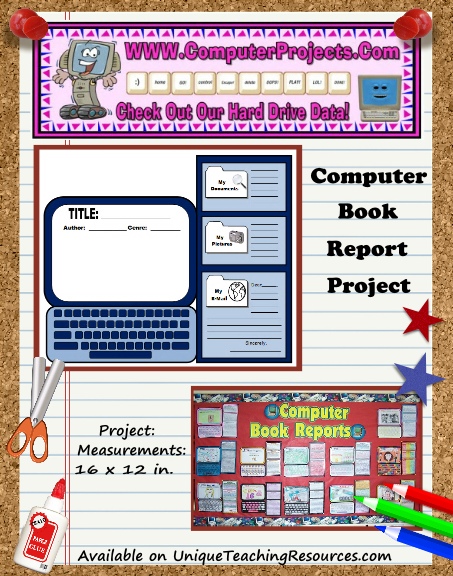
Assembled Project Size: Width = 16 inches Height = 12 inches
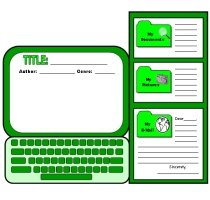
Your students will will be eager to write in their computer's hard drive about the following computer related writing responses: My Documents, My Pictures, and My E-Mail.

$4.99
You can read more detailed information about this resource by clicking ==> HERE.
A Note About Your Purchase: You will be emailed a download link for the resource(s) that you purchase so that you can download, save, print, and use the resource(s) today!
|
|
A very DETAILED description about this resource set is provided below.

Computer Book Report Project Templates:
Teaching Resources Set
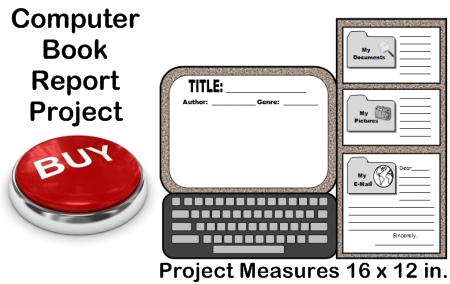
What's Included?
 Computer Book Report Projects: Almost every child enjoys working on a computer. What better way would there be to get your students enthusiastic about completing a book report project than to have them do a book report on computer templates that contain computer writing topics and themes?
This Computer Reading Response Set will provide you with all of the teaching resources that you need for your students to write a summary about their book, a description of the climax of the book, and write an e-mail to the main character in their book.
Traditionally, requiring students to write a summary, describe the climax, or write a letter to the main character in a book is a task that most students find quite boring.
By using these uniquely shaped computer graphic organizers, your students will eagerly want to fill up their computer's hard drive with these computer related writing responses.
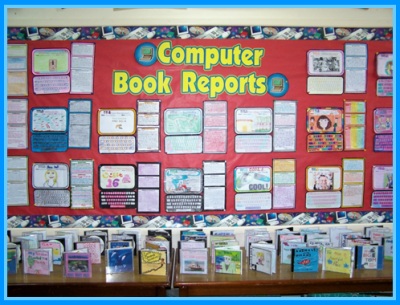
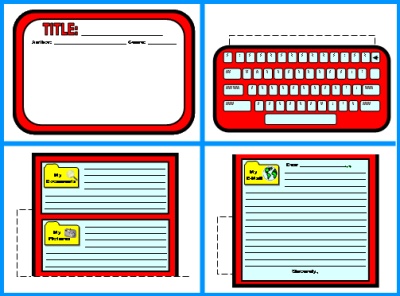
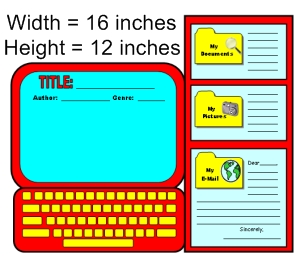 This computer shaped book report project contains four worksheet templates that assemble into a computer. The finished computer project measures 16 inches in width and 12 inches in height.
These finished book report projects will make a brilliant classroom bulletin board display of your students' work. Everything that you need to complete these fun projects is included in this set of teaching resources. All that you will need is scissors, glue, tape, and coloring pencils.
There are 12 worksheet and template pages in this set, as well as a 5 page color bulletin board display banner. There are 7 pages of computer related accent pieces for you to use to help you decorate your bulletin board display.
Note: Due to spelling differences in English (Examples: color/colour and favorite/favourite), there are two separate sets of worksheets and templates included in this set of teaching resources.
You can select the version (U.S. or U.K. spelling rules) that contains the spelling that is used in the country where you live.
The worksheets and templates that are shown on this page use U.S. spelling rules.
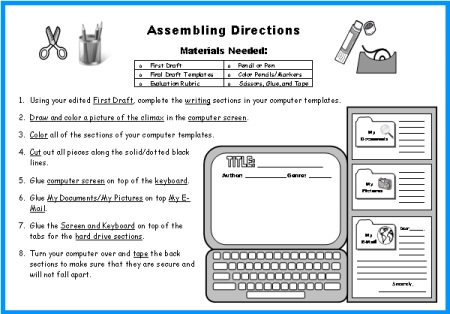
Assembling Directions:
This set includes assembly directions on how to prepare and assemble this project. Below is a sample of the directions page.
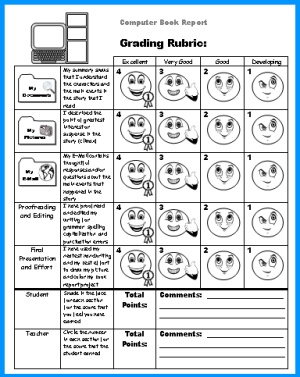
Grading Rubric:
 This set includes a book report grading rubric.
I believe that it is important for students to evaluate their own work, so my grading rubric contains both a student assessment and a teacher assessment component. When the students grade their work, they color in the faces. When the teacher grades the work, the teacher circles the small numbers in each box beside the faces. I often find that my students are harsher on themselves than I am, and that the grade that I give them is higher than they have scored themselves.
Below is an example of my Computer Book Report grading rubric:
First Draft Worksheets:
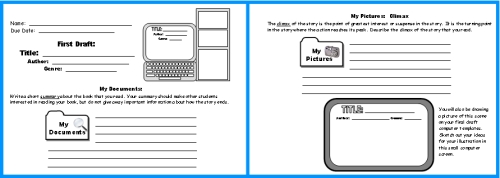
 I believe that the writing process is important and that teachers should use process writing whenever possible. For this reason, my students never begin their book report projects by writing on their final draft templates, instead they write on first draft worksheets. Then, they edit and revise their work on their own, with a partner, or in individual writing conferences with me.
This Computer Book Report Project is divided into three writing sections:
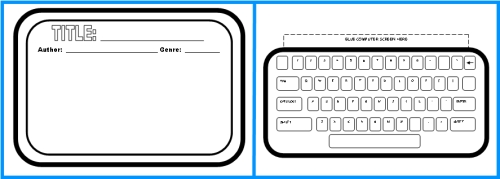
- Computer Screen: Title, Author, Genre, and a drawing of the climax of the story.
- Keyboard (there is no writing on this template)
- My Documents: Write a short summary about the book that you read. Your summary should make other students interested in reading your book, but do not give away important information about how the story ends.
- My Pictures (Climax): The climax of the story is the point of greatest interest or suspense in the story. It is the turning point in the story where the action reaches its peak. Describe the climax of the story that you read. Draw a picture that represents the climax in the computer screen.
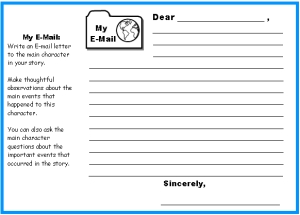
- My E-Mail: Write an E-mail letter to the main character in your story. Make thoughtful observations about the main events that happened to this character. You can also ask the main character questions about the important events that occurred in the story.
Due to spelling differences in English (words like color/colour and favorite/favourite), there are two sets of downloads for these worksheets. You can select the spelling that is used in the country that you are from.
This set contains three worksheets for students to write their first drafts on. On my first draft worksheets, I have designed the writing line spaces to match the spaces allotted on the final draft computer templates.
Below is an example of the first draft writing worksheets for this book report set.
Black and White Computer Templates:
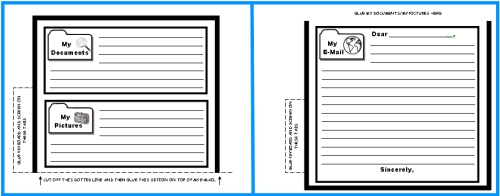
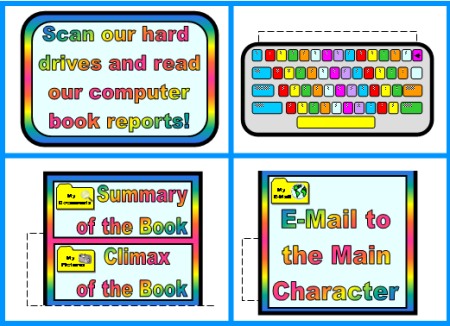
This set includes 4 templates that assemble into the shape of a computer. Inside the computer screen, students draw and color a picture that represents the climax of their book.
Below are examples of these four templates:
Color Computer Templates:
 When I am first introducing my students to a new book report project, I believe that it is important for them to have a visual example of what their final draft book report projects should look like. I always assemble the project myself beforehand and display it at the front of my classroom for my students to see.
My students enjoy seeing my computer project first (especially because I am horrible at drawing!). They also enjoy hearing about the book that I chose to do my book report on, and this gives me a great chance to promote a book that I would like to encourage my students to read.
To save you time in coloring your example that you show your students, I have included color computer templates of this project for you to use.
Free 5 Page Bulletin Board Display Banner:

 Finally,
I know that it takes teachers a lot of valuable time to assemble their bulletin board displays. Many teachers spend their valuable time cutting out large display letters or making a banner on their own at home on their computer.
Finally,
I know that it takes teachers a lot of valuable time to assemble their bulletin board displays. Many teachers spend their valuable time cutting out large display letters or making a banner on their own at home on their computer.
This time is valuable and better spent on developing your classroom curriculum and grading papers, so I have designed a matching 5 page display banner for your bulletin board.
If you have access to a laminating machine, you can laminate your banner so that it is durable and you can use it year after year for your bulletin board displays of these Computer Book Report Projects.
Free Bulletin Board Display Accent Pieces:
EXTRA GOODIES: For some of my book report projects, I am able to think of, and create, additional accent pieces to help you in decorating your bulletin board displays.
This Computer Book Report Project includes a computer that is the same size as the students' templates that says "Scan our hard drives and read our computer book reports!"
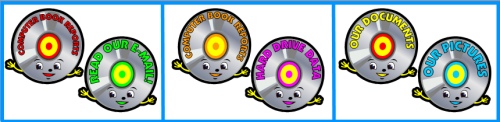
EXTRA GOODIES: I have designed 6 computer discs that you can use to help you decorate your bulletin board display.
I hope that these two EXTRA GOODIES that are included in this book report set help save you time in decorating your computer bulletin board display.
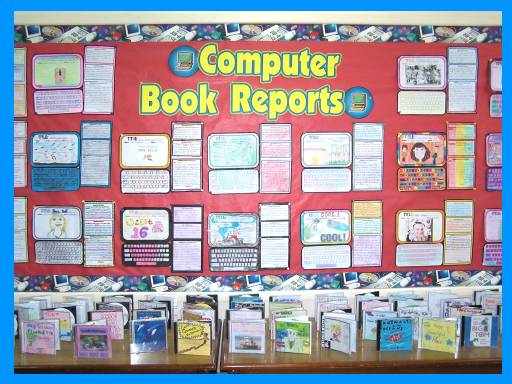
You will be able to design a colorful and dynamic bulletin board display using your students' finished computer book report projects.
These computer graphic organizers are a unique and fun way to get your students excited about completing a writing assignment about the books that they have read.
The writing responses that are required of your students will make them think and write about the main elements of their books in a challenging and engaging way. In addition, this book report set includes computer themed accent pieces to help you in decorating your bulletin board display.

Purchase this book report project below:
Computer Book Report Project
Assembled Project Size: Width = 16 inches Height = 12 inches
Your students will will be eager to write in their computer's hard drive about the following computer related writing responses: My Documents, My Pictures, and My E-Mail.
$4.99
You can read more detailed information about this resource by clicking ==> HERE.

25+ Book Report Projects:
2. Most Popular
Click on the graphics below to view each book report project.
3. Character Related
Click on the graphics below to view each book report project.
4. Food Templates
Click on the graphics below to view each book report project.
5. Animals
Click on the graphics below to view each book report project.

6. Nature
Click on the graphics below to view each book report project.

7. Technology
Click on the graphics below to view each book report project.
9. Transportation
Click on the graphics below to view each book report project.
10. Other Categories
Click on the graphics below to view each book report project.

Thank you for visiting this Computer Book Report Projects page.
Home › Book Report Projects › Computer Book Report Projects
Table of Contents
Click on the navigation bar above, or on the orange links below, to view the pages and resources on this website.
1. Reading
- Book Report Projects - Make Reading Fun With These Unique Templates!
- Projects For Favorite Books - EXTRA LARGE Group & Student Projects For Novels and Read Aloud Books
- Value Pack - 27 Book Report Projects
- Free Sight Word Flashcards - Fry - Dolch
- Newbery and Caldecott Book Lists
- Reading Overview - Book Report Tips
2. Writing
- Fun Creative Writing Templates
- Poetry Templates
- Printable Worksheets
- Writing Prompts For Jan - Dec
- Writing Overview
3. Other Subjects & Resources
4. Resources For Months, Seasons & Holidays
- Back To School
- Peace Day (Sept. 21)
- October & Halloween
- November, Fall, & Thanksgiving
- December, January, & Winter
- February & Valentine's Day
- March & St. Patrick's Day
- April, May, & Spring
- Earth Day (April 22)
- Mother's Day - Father's Day
- June, July, & End of School Year
5. Monthly Creative Writing Prompts
- January - February - March
- April - May - June
- July - August - September
- October - November - December
- General Topics
6. FREE Downloads For Teachers
- List of FREE Teaching Resources
- FREE Printable Classroom Calendars
- FREE Bulletin Board Display Banners
- FREE Printables of Favorite Quotes
- FREE Sight Word Flashcards
- Bulletin Board Display Ideas
7. About This Site
- Contact Heidi - About Me
- Teacher Testimonials
- Frequently Asked Questions
- Copyright Policy - Privacy Policy
- FTC Disclosure - Disclaimer
Engage Your Students in Fun Reading Activities This Year
More Than 25 Creative Book Report Projects to Choose From!
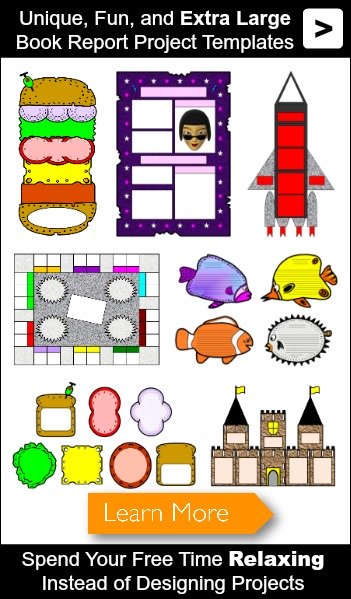
- VIEW ALL BOOK REPORT PROJECTS
- Cheeseburger - Wanted Poster
- Rocket - Monopoly Gameboard
- Dive Into Reading Fish - Sandwich
- Castle - Main Character Body
- MORE
- Value Pack
Extra Large Group Projects
For Favorite Novels
and Read Aloud Books
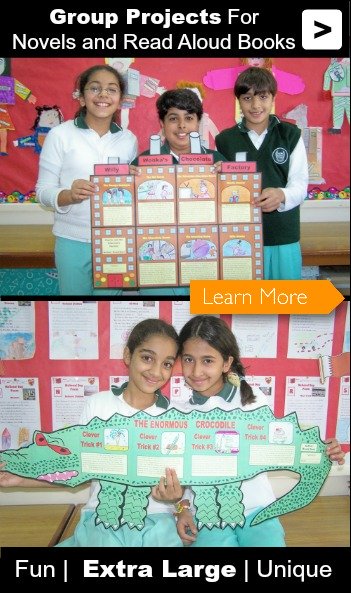
- VIEW ALL BOOK TITLES
- Charlie and the Chocolate Factory by Roald Dahl
- The Enormous Crocodile by Roald Dahl
- The Giving Tree by Shel Silverstein
- How the Grinch Stole Christmas by Dr. Seuss
- Shiloh by Phyllis Reynolds Naylor
- MORE
Let's Stay Connected!
1. Our Facebook Teaching Community
(129,000+ Teachers)

2. Our Pinterest Boards
(40+ Boards and 14,000+ Followers)

Thank you for visiting my website.
Please be sure to check out the other pages on Unique Teaching Resources for a large variety of fun lesson plans that will engage your students in learning and save you valuable time.
Sincerely,
Heidi McDonald
Creator and Site Manager
Unique Teaching Resources


Copyright © Unique Teaching Resources 2009 - 2018