- Visit Top 3 Pages Here ==>
- [1] Book Report Projects
- [2] Creative Projects For Children's Books
- [3] Book Report Value Pack - Save 70%
Spring Powerpoint Lesson Plans
Powerpoint Teaching Resources for April, May, and Spring


 Welcome my Spring Powerpoint Presentations page that focuses on
English and math powerpoint lesson plans to use
for April, May, and spring.
Welcome my Spring Powerpoint Presentations page that focuses on
English and math powerpoint lesson plans to use
for April, May, and spring.
Although I have posted these teaching resources on the Spring Powerpoint page, the
majority of these activities can be used anytime of the school year.
The powerpoint presentations on this page contain the following
themes which can be used all year long: rain, flowers, animals, and nature.
Many students find traditional grammar and math exercises
boring and dull. I encourage you to use these spring powerpoint lesson plans
to bring life to these boring exercises.
I have designed my powerpoint presentations to be
engaging to your students. The spring powerpoint lesson plans on this
page are designed with bright springtime graphics, but these activities
could be used throughout the school year.
My spring powerpoint lesson plans have been designed
using two fonts: Arial Black and Comic Sans. I chose these fonts because
they are the most widely found on most computers, and they will not
change the style and format when viewed on different computers.
I use funny and attention grabbing animations when I am designing
my powerpoint lessons, and I try to locate colorful spring background templates for
the powerpoint presentations that I prepare.

Busy Bees Grammar Comparing Powerpoint
Spring Powerpoint Lesson Plans

Your purchase will be emailed to you and then you can download it instantly.
Print as many copies as you want! Save and reuse forever!
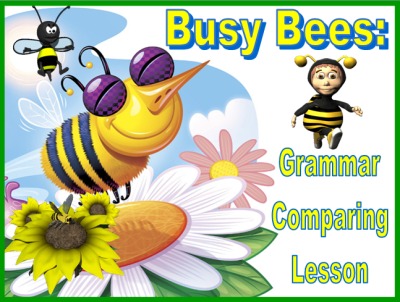
There are 15 sets of question slides and 15 answer slides in this
Busy Bee Grammar Comparing Powerpoint presentation. This set
contains a student response worksheet for students to write their
answers on. There are a total of 39 slides in this presentation.
This lesson activity is set up with a general spring bee theme. Although
I have posted this teaching resource on my spring powerpoint lesson plans
page, this lesson can be used anytime of the school year.
These spring powerpoint lesson plans review comparative and superlative
adjectives and adverbs in a fun way with visual cues for each form
of the adjective or adverb.
The following words are reviewed in this spring powerpoint lesson plans:
- large, larger, largest
- fat, fatter, fattest
- fast, faster, fastest
- hot, hotter, hottest
- high, higher, highest
- late, later, latest
- sad, sadder, saddest
- pretty, prettier, prettiest
- loud, louder, loudest
- many, more, most
- delicious, more delicious, most delicious
- bad, worse, worst
- good, better, best
- difficult, more difficult, most difficult
- little, less, least
I have tried to provide a large variety of words in this lesson
activity: words that are standard and just add er and est (fast),
words that follow the doubling rule (hot), words that follow the
y rule (pretty), words that add more or most (difficult), and
words that change their form (bad).
This powerpoint activity reviews comparative and superlative
forms of words, but I have not used this terminology in this
lesson activity. I have found that my students understand this
concept better when I call them comparing 2 things and comparing
3 or more things. Once my students have mastered this concept,
then I introduce the words comparative and superlative into
my students' vocabulary.
Since this is a powerpoint file, once you have downloaded it, you
are able to change any of the text that you want. If you want to
use the terminology comparative and superlative, you can easily
change this on the student worksheet and the title slide.
Your students will love playing this engaging bee theme powerpoint
game, and the three animated visual cues that are on each page
will help your students to better understand these comparison words.
Below is an example of the question slide.
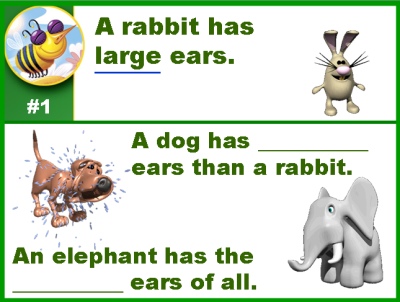
Below is an example of an answer slide.

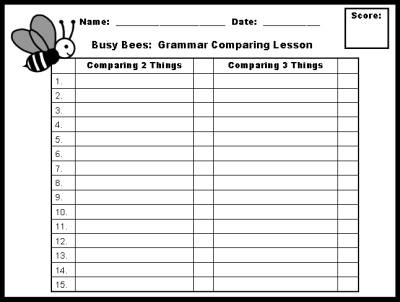
Below is the score card worksheet that students record their answers on.
The directions for filling out the score card are explained to the
students in the second slide of this powerpoint presentation.
This response worksheet is found on slide 37 of the presentation. To
print this worksheet out for your students, open this document and
when you go to print it, select only slide 37 to print, and by doing
this, you will not print out all 39 slides that are in this set.
Click on the link below to download a free sample of these
spring powerpoint lesson plans.
This Busy Bee Comparing Lesson sample will
show you an example of a question slide, and this is the section where
students write their answers on their response worksheets. Next, you
will see an example of an answer slide, where you review the answers
to each question and students grade their work.
Rainy Day Punctuation Marks
Period, Question Mark, and Exclamation Mark Powerpoint
Spring Powerpoint Lesson Plans
Your purchase will be emailed to you and then you can download it instantly.
Print as many copies as you want! Save and reuse forever!
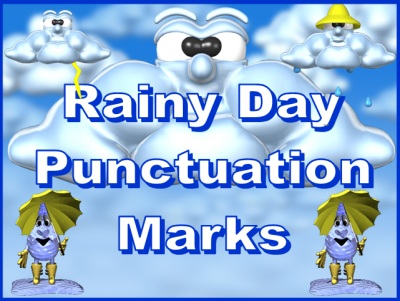
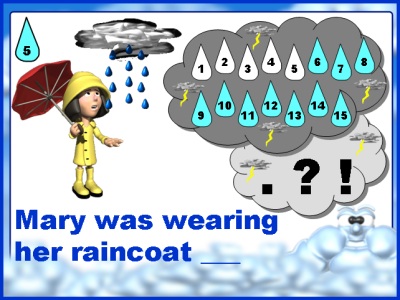
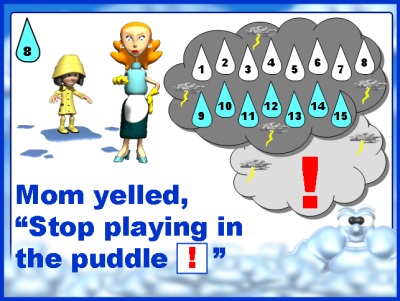
There are 15 sets of question slides and 15 answer slides in this Rainy Day
Powerpoint Presentation. There is a student response worksheet for students to
write their answers on. There are a total of 41 slides in this presentation.
These spring powerpoint lesson plans review the following punctuation
marks: period, question mark, and exclamation mark.
This lesson activity is set up with a general spring rain theme, and
students write their responses in raindrops on a cloud. Your students
will love playing this engaging spring theme powerpoint game while
they are reviewing end punctuation marks!
Although I have posted this resource on my spring powerpoint lesson
plans page, this lesson can be used anytime of the school year. Print
out the student worksheets ahead of time, and save this fun activity
for a rainy day!
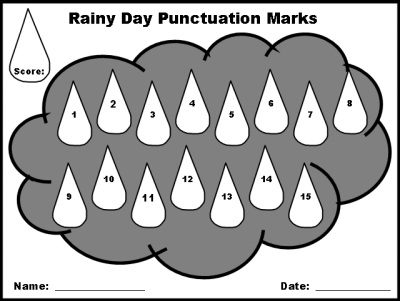
Below is the score card worksheet that students record their answers
on. Students write their answers inside the raindrops on the cloud. The
directions for filling out the score card are explained to the students
in the second slide of this powerpoint presentation.
This response worksheet is found on slide 38 of the presentation. To
print this worksheet out for your students, open this document and
when you go to print it, select only slide 38 to print, and by doing
this, you will not print out all 41 slides that are in this set.
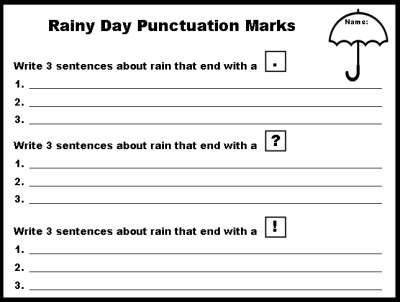
After students have completed the lesson activity, there
is a worksheet included in this set for students to write their own rainy day
sentences using each of the 3 punctuation marks that they reviewed in this lesson.
This response worksheet is found on slide 39 of the
presentation. To print this worksheet out for your students, open this
document and when you go to print it, select only slide 39 to print,
and by doing this, you will not print out all 41 slides that are in this set.
Click on the link below to download a free sample of these spring powerpoint
lesson plans.
This Rainy Day Punctuation sample will show you an example of a question
slide, and this is the section where students write their answers on their
response worksheets. Next, you will see an example of an answer slide,
where you review the answers to each question and students grade their work.

Earth Day Four Parts of Speech Powerpoint
Nouns, Verbs, Adjectives, and Adverbs
Spring Powerpoint Lesson Plans
Your purchase will be emailed to you and then you can download it instantly.
Print as many copies as you want! Save and reuse forever!
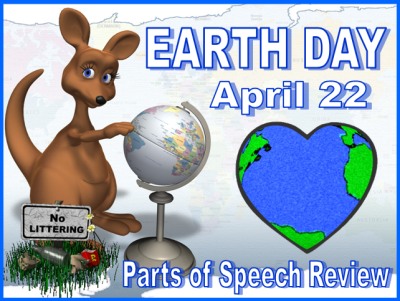
Earth Day is celebrated on April 22. These spring powerpoint teaching resources
are a perfect way to have your students review the parts of speech, while at the
same time having your students participate in a lesson with an environmental
awareness theme.
 There are 15 sets of question slides and 15 answer slides in this Earth Day
Parts of Speech Powerpoint Lesson, as well as a student response worksheet for
students to write their answers on. There are a total of 40 slides in this
presentation.
There are 15 sets of question slides and 15 answer slides in this Earth Day
Parts of Speech Powerpoint Lesson, as well as a student response worksheet for
students to write their answers on. There are a total of 40 slides in this
presentation.
This powerpoint lesson reviews the following parts of speech:
nouns, verbs, adjectives, and adverbs.
This powerpoint lesson activity is set up like a Who Wants to Be a
Millionaire Game, but with an Earth Day theme to it.
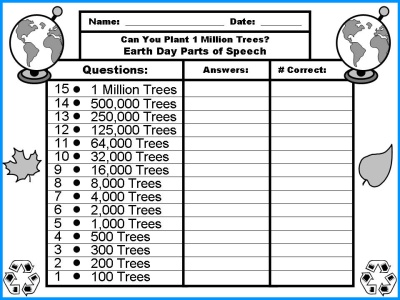
Instead of using money symbols, I have used the word trees. For example,
if students answer all 15 questions correctly, they have planted 1 million
trees on Earth Day. This concept of winning trees instead of money for this
game is introduced in this slide in the lesson.

The student response worksheet, where students write their answers, uses
the word "trees" instead of money symbols.
This response worksheet is found on slide 38 of the presentation. To
print this worksheet out for your students, open this document and when
you go to print it, select only slide 38 to print, and by doing this, you
will not print out all 40 slides that are in this set.
All of the 15 sentences and the animations in this English grammar
powerpoint lesson have an Earth Day theme. Your students will love
playing this engaging Earth Day powerpoint game while they are
reviewing the parts of speech!
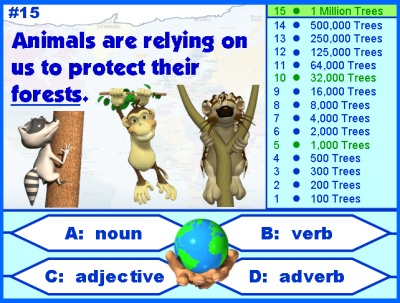
Below is an example of the answer slide.
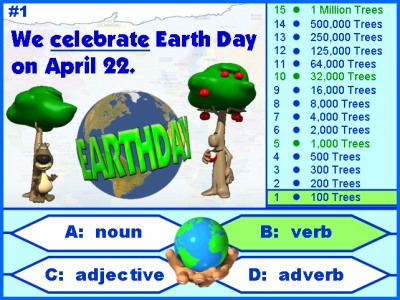
Click on the link below to download a free sample of these
spring powerpoint teaching resources.
This Earth Day Parts of Speech sample will show you an example of a
question slide, and this is the section where students write their
answers on their response worksheets. Next, you will see an example
of an answer slide, where you review the answers to each question and
students grade their work.
Earth Day Parts of Speech Powerpoint
Spring Into Colorful Writing Powerpoint
and Student Bulletin Board Display Set
Spring Powerpoint Lesson Plans
Your purchase will be emailed to you and then you can download it instantly.
Print as many copies as you want! Save and reuse forever!
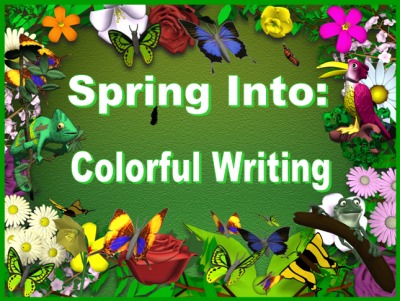
This Spring Into Colorful Writing powerpoint set is designed to be a daily
writing warm up activity to use with your students. There are 25 different
sentences with animated graphics for students to read. Students rewrite
these sentences using more descriptive word choices.
There are 25 matching bulletin board display worksheets for you to print
out of these 25 sentence slides. During each warm activity, choose a
different student to write his or her sentence on the display worksheet.
After you have finished all 25 warm up activity sentences and having
one student write his or her new sentence on each of the display
worksheets, you will be able to create a vibrant classroom display
of your students' Spring Into Colorful Writing sentences.
These spring powerpoint lesson plans contain flowers with animated
butterflies as the main background for this presentation. The word
color is used on 3 of the introduction slides and on the three student
worksheets. If you spell this word colour, then it would take you less
than a minute to edit this word on these 6 slides.
After the title slide (shown above), there are two example slides to
show students how to write more descriptive sentences.
These two example slides are shown below.

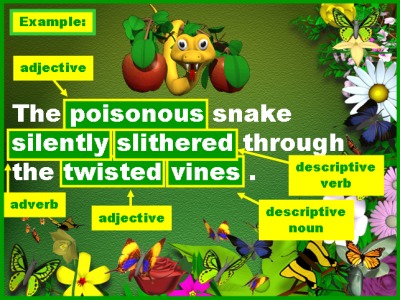
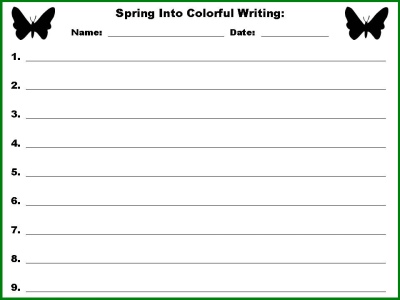
There are three student worksheets for students to write their descriptive sentences
on in this set of spring powerpoint lesson plans. You do not need to use these
worksheets, instead you could have students complete each warm up activity on a
scrap piece of paper.
These three worksheets are found on slides 31 - 33 of the presentation. To
print these worksheets out for your students, open this document and when
you go to print it, select only slides 31 - 33 to print, and by doing
this, you will not print out all 34 slides that are in this powerpoint presentation.
This set of lesson plans is designed to be a language arts daily warm activity and
there are 25 different sentence prompts to use with your students. Depending on
how many prompts you use each day, this activity could last you anywhere from
two weeks to a full month.

Step 1: Begin by showing your students the animated writing prompt.
Step 2: Students write their sentences on the worksheets provided
or on a piece of scrap paper.
Step 3: Students share their sentences with the class.
In this step, I continue to use my computer and projector. As a student
reads his or her sentence example aloud to the class, I type it on a blank
powerpoint template in large print so that the whole class can read this
sentence displayed on the projector.
I use this time for spontaneous mini-reviews of grammar, parts of speech,
and punctuation depending on the examples that my students have come up
with. Students love going to the board where their sentence is being
projected and pointing out their nouns, verbs, etc.
These three steps take approximately 5 minutes and make a wonderful
warm up activity for language arts.
Step 4: I select one student to write his or her sentence on the
worksheet that will be displayed on the bulletin board in our classroom. Since there are 25
sentences, each student should have an opportunity to complete at least one
of these display worksheets. Below is an example of what these display
worksheets look like.
Step 5: When my students have completed all 25 warm up activities
and each student has had a chance to write at least one of his or her sentences on
our display set, I create a classroom bulletin board display of our 25 descriptive sentences.
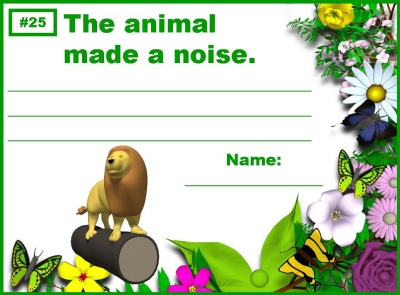
This set includes a 5 page bulletin board display banner to help save
you time in preparing this display. There are two banners in this set
using the spelling colorful and colourful.
Below is an example of this banner. The graphics that are in the banner match the graphics that
are contained in the various 25 sentence writing powerpoint prompts.

This powerpoint presentation contains 25 sentence prompts that are written without
any descriptive words and students need to add colorful words to make
the sentences more interesting to read.
You can individualize each writing prompt to meet your own needs. For one
day, you can instruct your students that they need to write a prepositional
phrase in their sentences. The next day, instruct your students that they
need to write a compound sentence with a coordinating conjunction.
You can guide your students to practice writing more descriptive sentences
each day that focus on the grammar topics that you want to reinforce with
extra practice by using these 25 warm up activities.

This Spring Into Colorful Writing lesson plans set contains 25 student
writing display slides for you to print out and have your students write
their new sentences on it. Each student should have an opportunity to write
one of their sentences on these display worksheets.
When you have finished with this warm up review unit, you will be able to
make a dynamic and colorful spring classroom bulletin board display with
your students' 25 descriptive sentences. You can use the 5 page bulletin
board banner that is included in this set to help you design your
bulletin board display.

Click on the link below to download a free sample of these spring powerpoint lesson plans.
This Spring Into Colorful Writing sample will show you an example of the title
slide, sentence example slides, sentence prompt slide, student writing worksheet,
and the bulletin board display writing worksheets.
Spring Into Math Squares Powerpoint
Addition, Subtraction, and Multiplication Puzzles
Spring Powerpoint Lesson Plans
Your purchase will be emailed to you and then you can download it instantly.
Print as many copies as you want! Save and reuse forever!
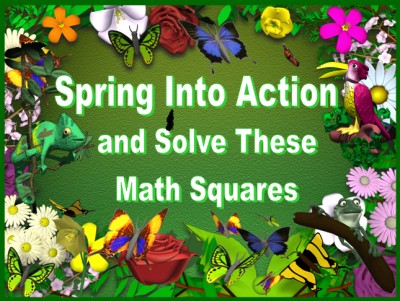
For this spring powerpoint lesson plans activity, students have to solve
addition, subtraction, and multiplication equations. This spring powerpoint
teaching resources set uses an engaging math puzzle that contains butterfly
themed animations and graphics.
This puzzle is similar to the math puzzles that I have on my Halloween,
Thanksgiving, and Winter pages and contains puzzles with addition, subtraction,
and multiplication equations. Although this resource is posted on my spring
powerpoint teaching resources page, it can be used at other times of
the school year as well.
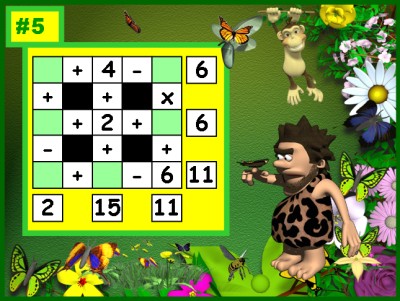
There are two student worksheets in this set of teaching resources for students to use.
Students copy the information in the question slides (example above) onto
their worksheets, and then they figure out the numbers that belong in the
missing boxes. Only the numbers 1-9 are used in the boxes, and each number is used one time.
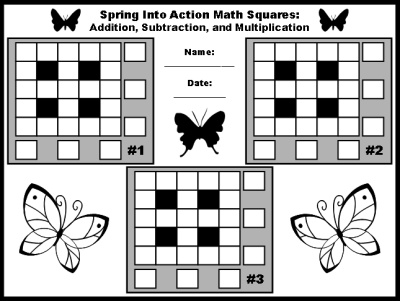
Below is an example of the first student worksheet for Puzzles 1-3. There
is a second worksheet for Puzzles 4 and 5 which is not shown.
Below is an example of an answer slide. Notice
that only the numbers 1-9 are used in the answer boxes, and each number
is used just one time. Be sure to point this out to your students, as
this will help them in solving these math puzzles.
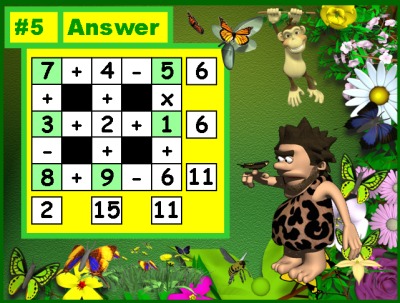
Click on the link below to download a free sample of these spring
powerpoint lesson plans.
This Spring Into Math Puzzles sample will show you an example of the title
page slide, directions slide, question slide, answer slide, and student worksheet.
Old MacDonald Math Powerpoint Lesson
Multiplication and Addition Word Problems
Spring Powerpoint Lesson Plans
Your purchase will be emailed to you and then you can download it instantly.
Print as many copies as you want! Save and reuse forever!

For this Old MacDonald math powerpoint lesson, students have to use both
multiplication and addition to solve these word problems that have a
general farm theme. The math word problems in this activity involve
money, so students are reviewing money, decimal points, and place value as well.
If you live in a country that does not use dollar symbols as a sign
for your currency, it would take you approximately 5 minutes to go
through this powerpoint presentation and change the dollar symbols
to the symbol that is used in your country.
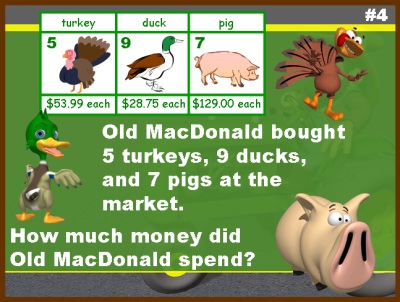
These math word problems use an engaging shopping cart style format
and students have to calculate how much money Old MacDonald has spent,
or earned, on materials for his farm and farm animals.
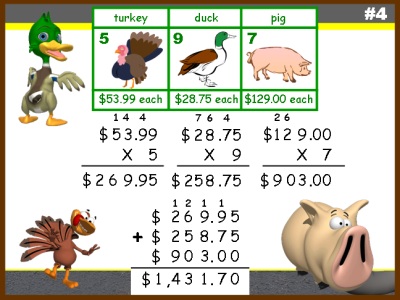
There are 5 sets of word problem questions and answers in this powerpoint lesson,
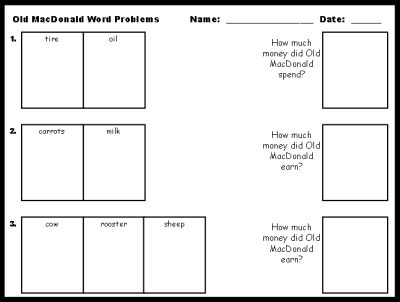
as well as a student response worksheet for students to work out
their answers on.
These 5 farm word problems work well as a daily warm up activity,
and you could do one each day of the week. You could also do all
5 in one lesson activity. Your students will love reviewing
multiplication, addition, and money equations with this engaging
and animated math activity!
I have included this resource on my spring powerpoint teaching
resources page, but this powerpoint lesson could be used anytime
during the school year.
Below is an example of a question slide.
There are 5 sets of question and answer slides
in these spring powerpoint lesson plans.
There are two pages of student worksheets, one of them is shown below.
Click on the link below to download a free sample of
these spring powerpoint lesson plans.
This Old MacDonald Math Powerpoint sample will show you an example of the
title page slide, question slide, answer slide, and student worksheet.
specific category of Spring Teaching Resources:

|
|
|
|
|
|
Thank you for visiting my Spring Powerpoint Lesson Plans page.

Please be sure to check out the other pages on Unique
Teaching Resources for a large variety of fun lesson plan activities
that will engage your students in learning and save you valuable time.

Creator and Website Manager
Unique Teaching Resources

If you are interested in viewing other spring teaching resources
that are found on my website, click on one of the links below.

Spring Powerpoint Lesson Plans
Spring English Teaching Resources
Spring Math Teaching Resources
Spring Printable Worksheets
Spring Bulletin Board Displays
April Writing Prompts
May Writing Prompts
Mothers Day Lesson Plans






- *View All Book Report Projects*
- Cheeseburger
- Sandwich
- Main Character Body
- Monopoly Gameboard
- Wanted Poster
- Biography Newspaper
- 70% Off Value Pack
28 Book Reports
+ 14 Free Gifts - *View All Book Titles*
- Charlie and the Chocolate Factory
- The Enormous Crocodile
- The Giving Tree
- Shiloh
- First Day Jitters
-
Aug. / Sept.
Back To School - Peace Day (Sept. 21)
- Oct. / Halloween
- Nov. / Thanksgiving
- Dec. / Jan. / Winter
- Feb. / Valentine's Day
- Groundhog Day
- Mar. / St. Patrick's Day
- April / May / Spring
- Earth Day (April 22)
- Mother's Day
- Father's Day
-
June / July
End of School Year - Reading Introduction
- Unique Book
Report Projects - Tips For Using
Book Report Projects - Fun Projects For Favorite Books
- Free Sight Word Flashcards
- Newbery and
Caldecott Book Lists - Writing Introduction
- Writing Prompts For
January - December - Fun Writing Templates
- Fun Poetry Templates
- Printable Worksheets For Creative Writing
- Free Teaching Resources List
- Free Newsletter
- Free Printable Classroom Calendars
- Free Bulletin Board Display Banners
- Quotes About Teaching - Free Printable Posters
- Free Flashcards
- Writing Prompts For
January - December - Classroom & Bulletin Board Display Ideas
- Heidi's Blog
- About Heidi
- Teacher Testimonials
- Frequently Asked Questions
- Contact Heidi


Reading Comprehension
Written Expression
Other Curriculum Areas
Positive Reinforcement
Free Downloads

Teacher's Corner



Let's Stay Connected!

To join our fun
Facebook community
of over 118,000 teachers,
click the "Like" button below.


"Teachers Have Class!" Newsletter


Click on the book titles
below to view each project.
Click on the book titles
below to view each project.
- The Giving Tree
- How the Grinch Stole Christmas
- Shiloh
- Stellaluna
- The Whipping Boy
- First Day Jitters
- Many More Book Titles
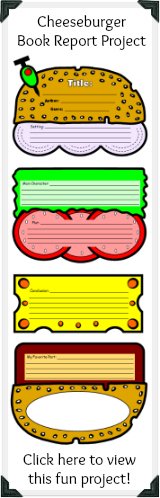
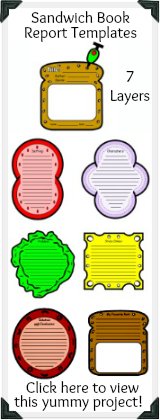
More Book Report Projects:
- Monopoly Gameboard
- Main Character Body
- Wanted Poster
- Biography Newspaper
- Castle
- Butterfly
- Caterpillar
- Dive Into Reading Fish
- *View All Projects*
70% Off Value Pack
28 Book Report Projects
+ 14 Free Gifts